Seedream 5.0 Pro Released: Smarter Multimodal AI Design
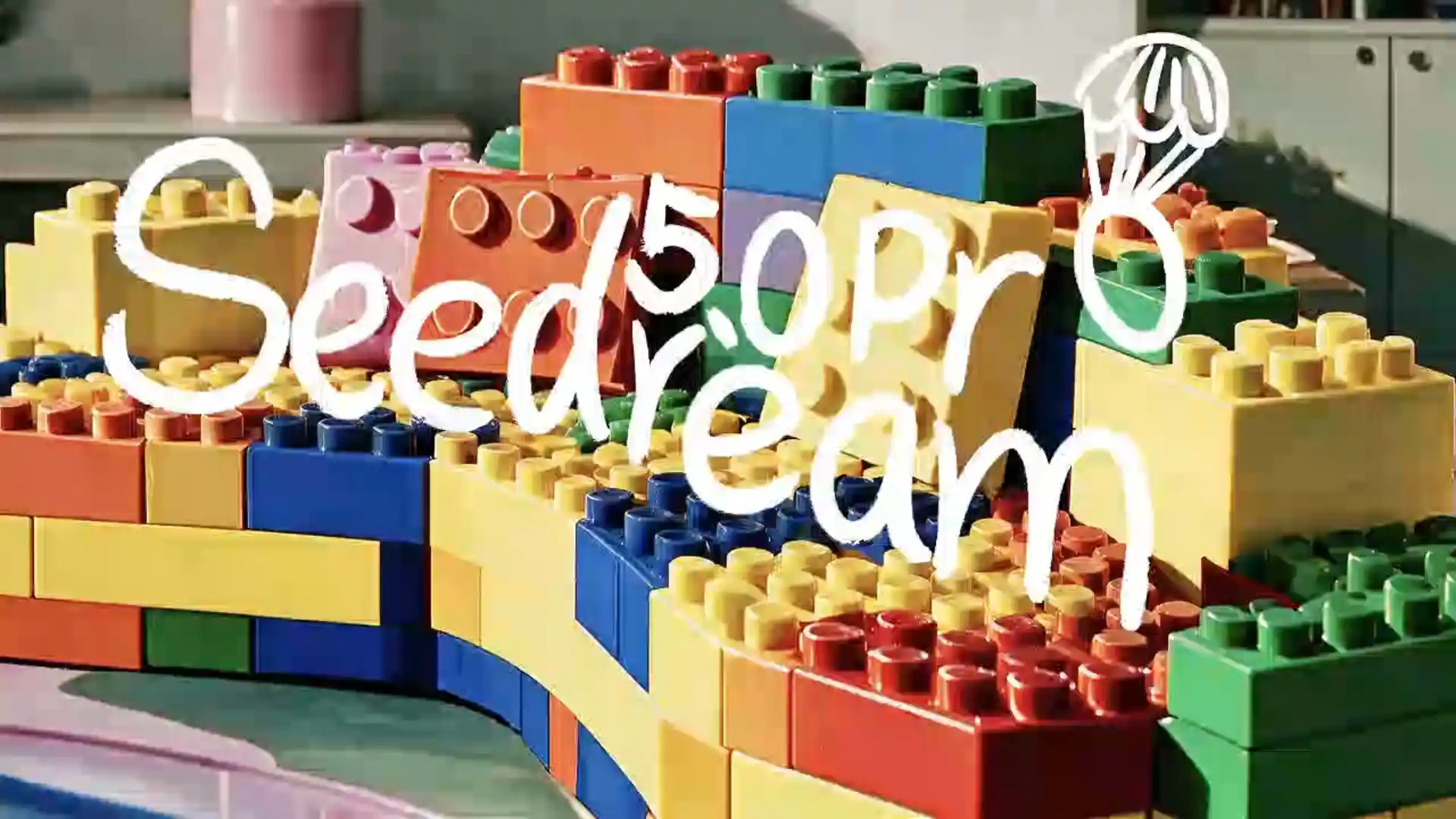
ByteDance has released Seedream 5.0 Pro 🔗, a new multimodal AI image model built for more than simple image generation.
Instead of only turning text prompts into attractive pictures, the new model focuses on
design understanding
structured visual output
precise image editing
high-density text rendering
commercial-ready image creation
The real question is no longer, “Can AI make a nice picture?”
❔ The better question is, “Can AI help create a visual that works better in a real production workflow?”
Introducing Seedream 5.0 Pro
Built to understand design, not just generate images.
Seedream 5.0 Pro is a multimodal AI image generation model designed for professional visual creation.
💡 It can work with
prompts
image references
layout intentions
text content
editing instructions
visual structures
The goal is to help users create images that are not only visually impressive, but also more practical for real-world use.
How Is 5.0 Pro Different from Basic AI Image Generators?
Basic tools create pictures. Smarter models create visual systems.
The new 5.0 Pro model is more focused on design logic. It improves the way AI understands structure, text, space, editing regions, references, and final-use scenarios.
Capability | Basic AI Image Generator | Seedream 5.0 Pro |
Prompt understanding | Good for simple descriptions | Better for complex visual briefs |
Text in images | Often unstable or distorted | Stronger typography and text rendering |
Layout control | Limited structure planning | Better visual hierarchy and composition |
Information density | Difficult to manage | Better for infographics and dense content |
Editing workflow | Often requires full regeneration | Supports more precise local changes |
Reference use | Basic style or subject reference | Better multi-image fusion and visual control |
Commercial use | Good for inspiration | More suitable for production-ready visuals |
Multilingual support | Often inconsistent | Better localized text and layout handling |
This difference is important for users who create images for business, education, advertising, content marketing, or design production. They need more than a good-looking image. They need clarity, control, and consistency.
How Does Seedream 5.0 Pro Turn Dense Information into Visual Design ?
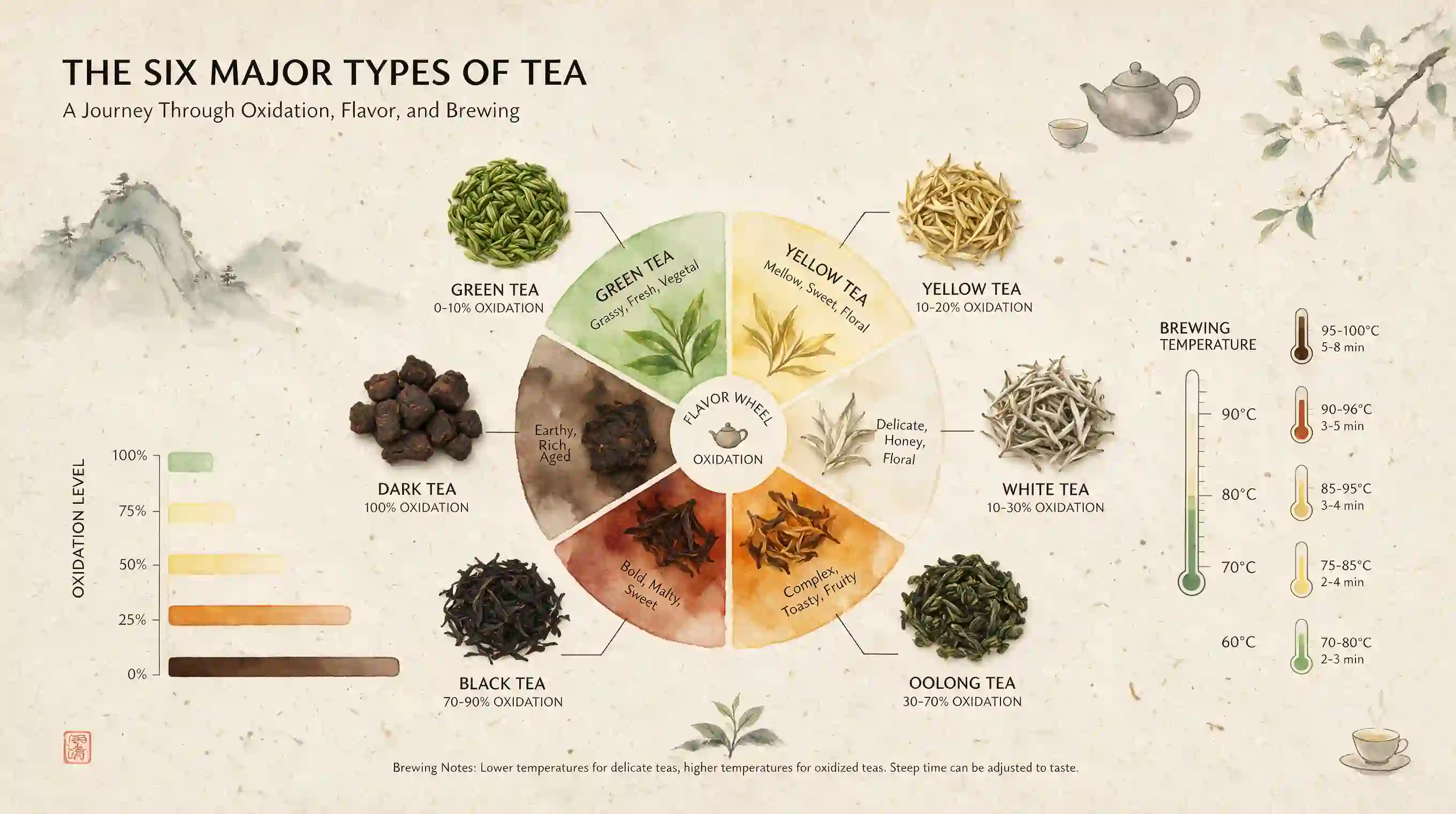
One image can explain a complex idea.
One of the strongest upgrades is high-density information visualization. This means the model can help turn complex ideas, data, labels, timelines, diagrams, product information, and long text blocks into organized visual layouts.
This is a major step for AI image design because information-heavy visuals are difficult.
✅ A good infographic is not just a pretty picture. It needs:
Accurate text placement
Clear visual hierarchy
Logical layout structure
Balanced spacing
Readable labels
Useful icons or diagrams
Consistent style
Strong visual storytelling
The 5.0 pro model can support content such as science explainers, education graphics, business reports, technical diagrams, product feature maps, campaign posters, and UI-style visual layouts.
💡 For example, a creator could use it to generate:
A science infographic with charts and timelines
A product comparison image for e-commerce
A classroom poster explaining astronomy or biology
A business report visual with data blocks
A landing page hero section with text, cards, and product elements
A brand campaign poster with headline, discount, date, and visual theme
This makes the Pro image model especially useful for users who want an AI infographic generator, AI visual communication tool, or AI design assistant for content-heavy images.
How Does Interactive Editing Make AI Creation More Controllable?
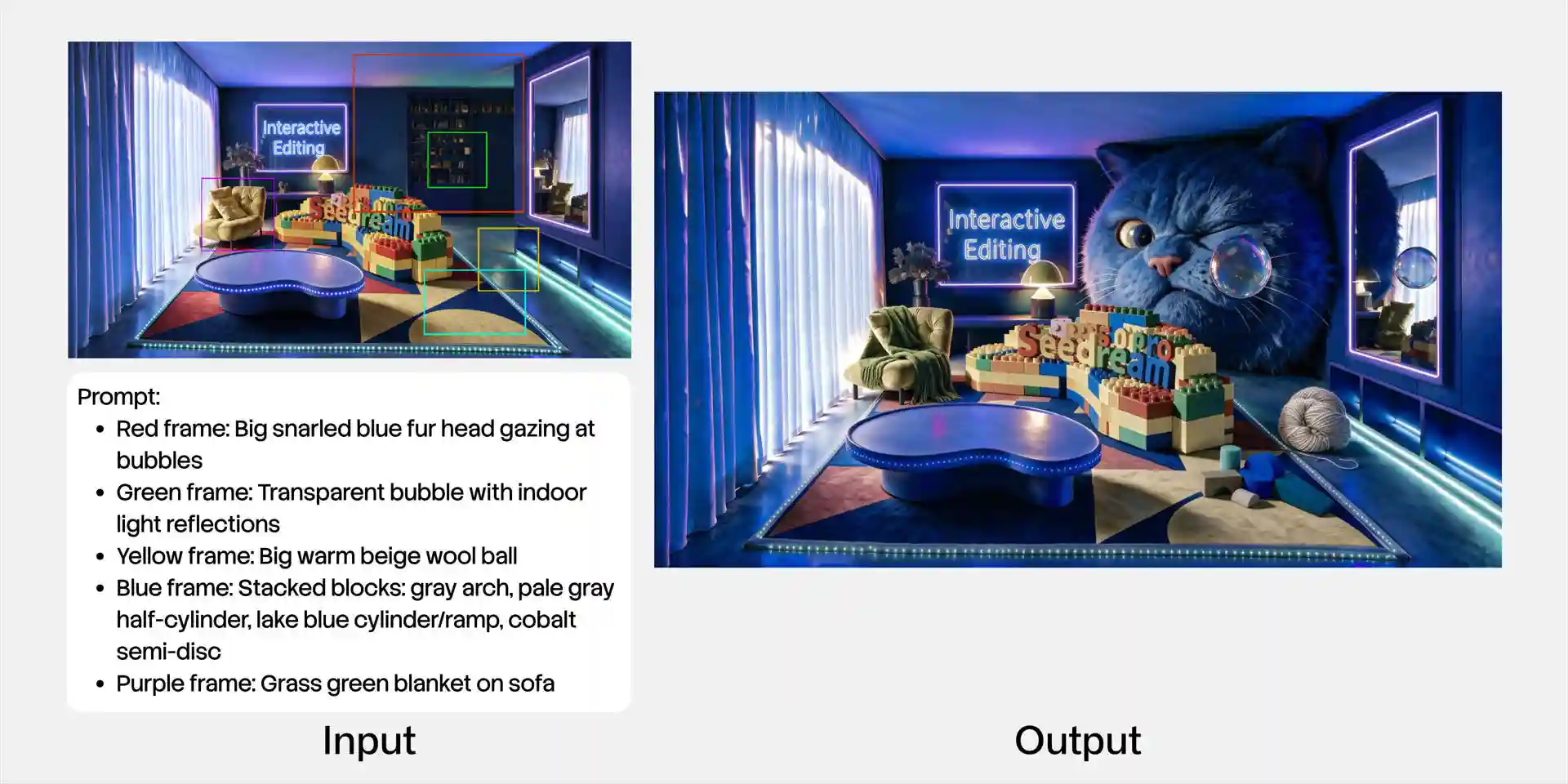
Better control means fewer wasted generations.
Traditional prompt-based generation has a clear limitation: words are good at describing what to create, but not always good at specifying exactly where to change something.
Interactive editing solves this problem by giving users more ways to guide the image. The new model supports a more controllable workflow.
Local Interaction and Region-Based Editing
Users can guide changes in a specific area instead of regenerating the whole image.
💡 This is useful for
removing an object
adding a product
changing a small detail
modifying a selected part of the scene
For creators, this means faster revision. Instead of losing a good image because one detail is wrong, they can adjust only the problem area.
Color and Material Replacement
The model can support changes such as replacing fabric, adjusting product color, applying a new material, or matching a reference color palette.
💡 This is valuable for:
E-commerce product images
Interior design concepts
Fashion visuals
Furniture previews
Product advertising
Brand color testing
For example, a seller could test different sofa colors, packaging materials, or product finishes without rebuilding the whole scene each time.
Sketch Rendering
Sketch rendering allows users to turn rough layouts, doodles, lines, blocks, or simple composition ideas into polished images.
This is useful when a creator has an idea but does not want to start from a blank canvas. A rough poster layout, product scene sketch, or UI block plan can become a high-quality visual direction.
Layer Separation
Layer separation is one of the most design-focused features. Instead of treating the image as one flat output, the model can help separate elements such as text, subject, background, decorations, and visual objects.
This makes AI-generated images more flexible for further design work. Users can move, replace, resize, or adjust different parts of the image more easily.
For designers and marketers, this is a major advantage because real design work is rarely one-shot. It often requires revision, replacement, adaptation, and reuse.
Multi-Image Fusion
Multi-image fusion helps users combine different reference materials into one coherent visual. A creator can use separate images for a product, person, background, mood, color style, or layout direction, then ask the model to integrate them.
Together, these editing abilities make the model feel less like a random image generator and more like an iterative AI design system.
How Does 5.0 Pro Improve Realistic Visual Texture?
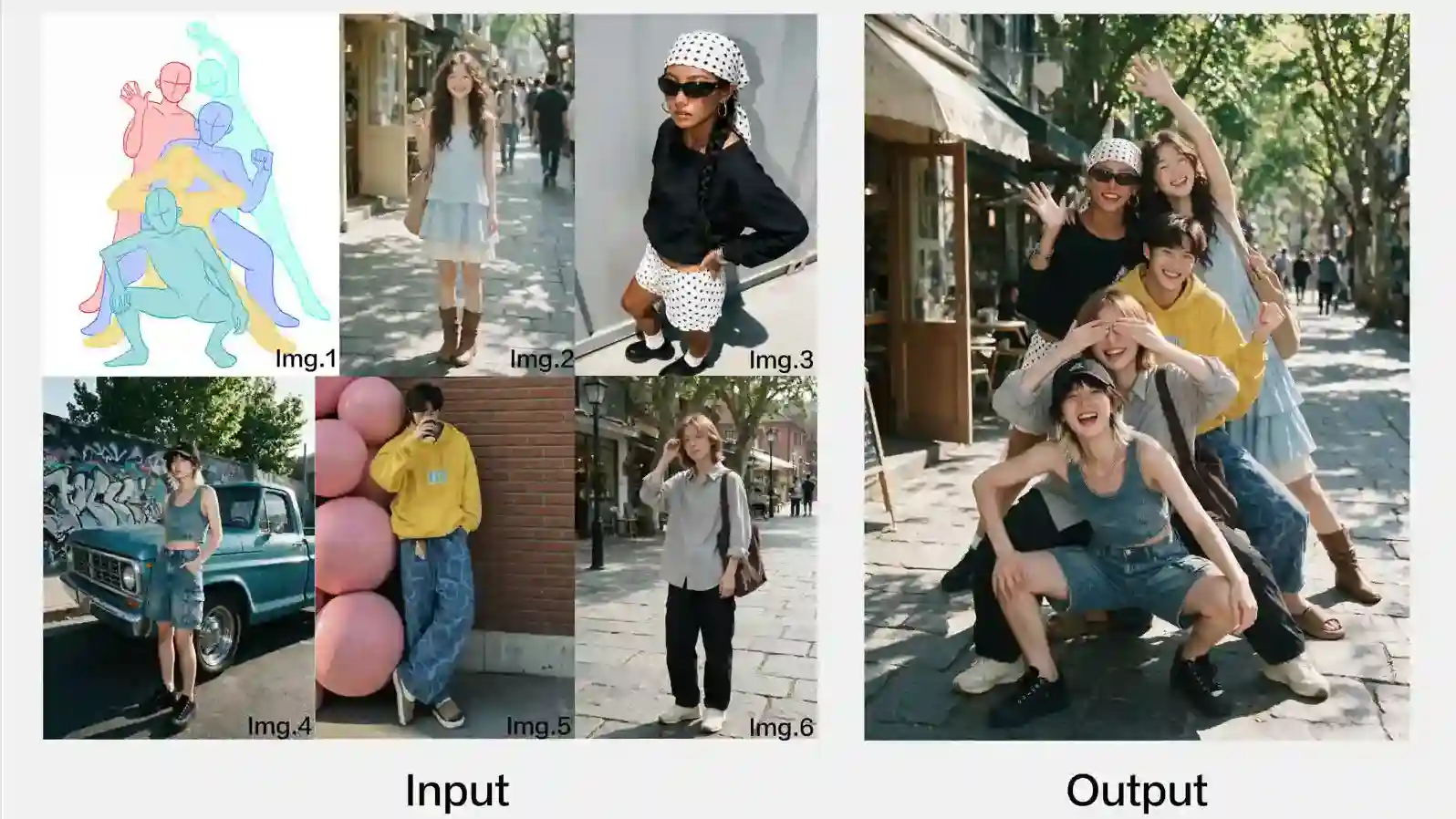
Real detail makes AI images feel usable.
Another important upgrade is the richer visual quality. The Pro model improves how it handles lighting, materials, portraits, reflections, skin texture, and photographic atmosphere.
💡 The model is useful for realistic visual directions such as:
AI product photography
Commercial advertising images
Portrait generation
Game character visuals
Film concept art
Architecture visualization
Luxury product scenes
Lifestyle marketing images
Richer textures can help creators produce visuals that feel closer to real photography or high-end CG. This is especially valuable for businesses that need attractive visuals quickly but do not always have the budget or time for full photo shoots.
The key benefit is not only beauty. It is visual credibility.
Why Does Native Multilingual Design Matter?
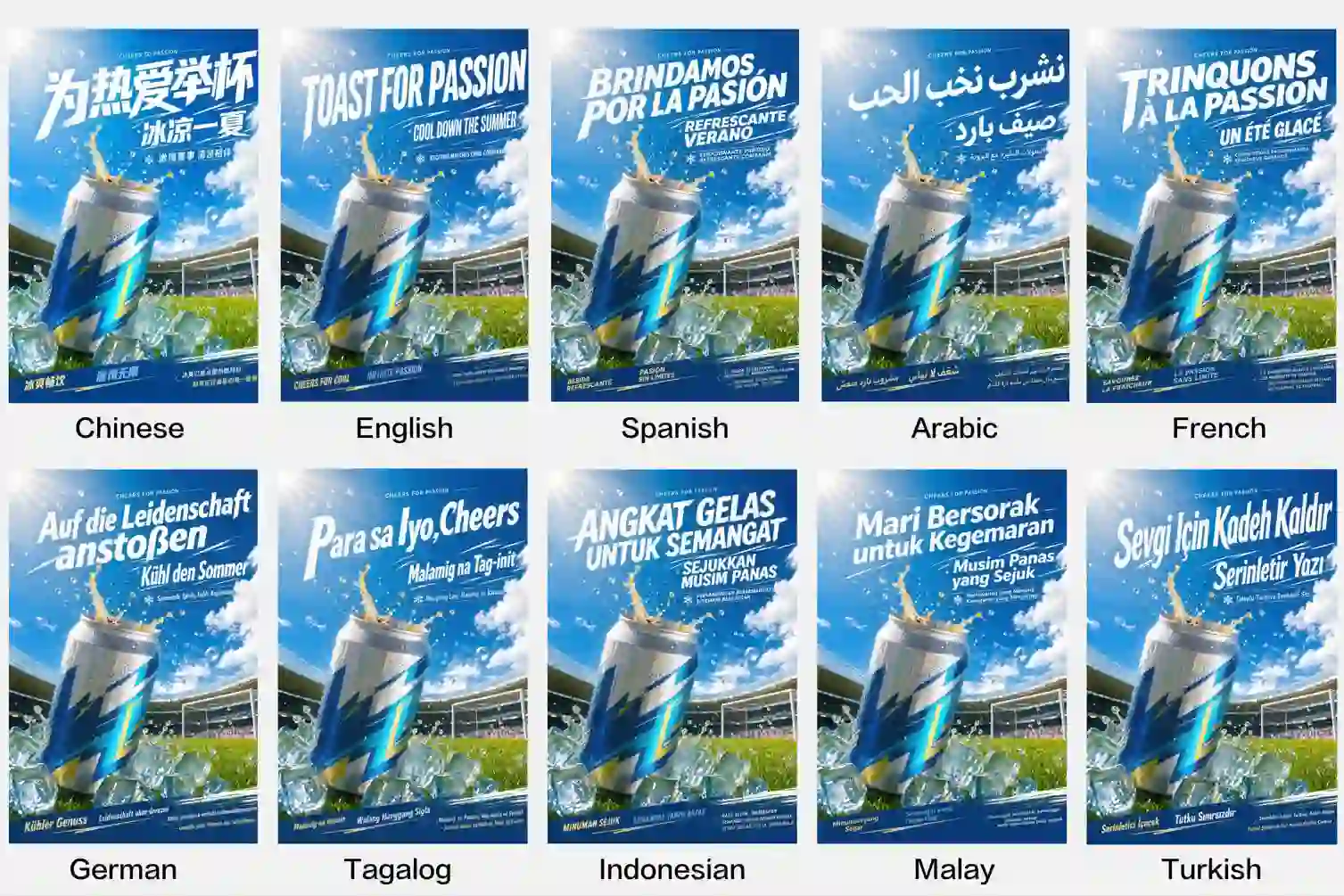
Global content needs local visual language.
Modern creators often need to publish images across different markets. But multilingual design is not just translation.
Different languages have different writing systems, spacing rules, text directions, cultural cues, and visual expectations.
For example,
Arabic text needs right-to-left layout handling, while Spanish text may include accented characters. Asian typography may require different spacing, balance, and hierarchy.
The new Pro image model supports native multilingual input and generation, understands how words belong inside the visual, making it more useful for localized visual creation.
💡 This helps with:
Multilingual posters
International marketing campaigns
Cross-border e-commerce images
Localized social media ads
Multilingual education graphics
Global brand visuals
Public information posters
Regional event promotions
For businesses, this can reduce the cost of producing multiple language versions.
For creators, it makes global content creation easier and more flexible.
How to Use 5.0 Pro Step by Step?
A clear design brief creates a better image.
To get better results, users should treat the model like a design partner, not just a prompt machine. The stronger the visual brief, the more useful the output can become.
Step 1: Define the Final Use
Start with the purpose.
Are you creating a poster, infographic, product image, UI mockup, social media graphic, or educational visual?
Example:
Create a clean product feature infographic for a smart desk lamp.
Step 2: Describe the Layout
Do not only describe the style. Describe the structure.
Include:
Main title
Subtitle
Image subject
Text blocks
Icons
Charts
Labels
Background style
Visual hierarchy
Example:
Place the product in the center, with four feature cards around it, a bold title at the top, and a call-to-action button at the bottom.
Step 3: Add Exact Text When Needed
If the image needs typography, provide the exact text.
This is especially important for posters, UI visuals, infographics, and marketing images.
Example:
Title: “Smart Light for Better Focus.” Feature labels: Eye Comfort, Auto Dimming, App Control, Energy Saving.
Step 4: Use Reference Images
Use references when you need consistent characters, products, brand style, color palettes, or materials.
This is helpful for:
Product consistency
Brand visuals
Character design
Color matching
Material replacement
Multi-image composition
Step 5: Edit Instead of Starting Over
If the first image is mostly right, use local editing.
change the color
adjust the material
replace one object
refine the text area
improve the layout
This saves time and keeps the strongest parts of the image.
Step 6: Prepare for Real Use
Before using the final image, check:
Text accuracy
Brand consistency
Layout balance
Product details
Legal or copyright issues
Image quality
Local language accuracy
This step is important for commercial-ready AI visuals.
What Can Creators Make with Seedream 5.0 Pro?
The best use cases combine creativity with clear output needs.
💡 This new model is especially valuable when users need structured, editable, and visually polished assets.
For marketers, it can help create more campaign variations.
For e-commerce sellers, it can produce stronger product visuals.
For educators, it can turn complex topics into clear graphics.
For designers, it can speed up early concept development.
For creators, it can make content production more flexible and scalable.
The strongest value appears when users need more than one image. It appears when they need a repeatable visual workflow.
What Are the Current Limits and Best Practices?
Powerful AI still needs human review.
Even with stronger design ability, users should not treat the output as perfect. High-density images, multilingual text, and commercial visuals still need checking.
❕ Important limits and best practices include:
Check all text carefully
AI text rendering is improving, but important titles, labels, prices, dates, and names should always be reviewed.
Verify facts in infographics
If the image includes data, timelines, scientific information, or business claims, confirm the accuracy before publishing.
Review small typography details
Dense layouts can still need manual polishing, especially for brand fonts, legal text, or tiny labels.
Use clear region instructions for editing
Local changes work better when users define the target area and desired result clearly.
Respect copyright and brand rights
Do not use protected logos, celebrity likenesses, or branded materials without permission.
Keep brand consistency in mind
For business use, match color, tone, layout, and product details with your brand guide.
Use AI as a production accelerator, not a replacement for judgment
The model can speed up ideation and design iteration, but final approval still needs human taste and quality control.
🔊 These limits do not reduce the value of the model. They show how to use it more responsibly and effectively.
Smarter AI Design Turns Ideas into Usable Visuals

The future is editable, structured, and iterative.
Seedream 5.0 Pro AI Image Generator 🔗 brings AI image creation closer to professional design work:
stronger high-density information design
precise editing
realistic image quality
multilingual visual generation
layer separation
sketch rendering
multi-image fusion
AI image generation is no longer only about making something beautiful.
It is becoming a smarter, more editable, more structured design workflow.
Try the new model to turn complex ideas into clear, polished, and commercial-ready AI visuals.
Related Articles
Seedream 5.0 Pro vs GPT Images 2.0: Real Tasks Comparison
Compare Seedream 5.0 Pro and GPT Image 2.0 through real creative tasks, including realistic images, portraits, editing, design, and infographic generation.
How to Use Sketch Prompts in Seedream 5.0 Pro for AI Design
Learn how to use sketch-to-image workflow in Seedream 5.0 Pro to turn rough layouts, poses, scenes, and design ideas into polished AI images.