What is Seedream 5.0 Pro: Commercial-ready AI Image Workflow

AI image generation is no longer only about whether a model can create beautiful pictures. For creators, the real question is:
whether AI can help produce stable, editable, and commercial-ready visual assets.
At the June 23 Volcano Engine event, Seedream 5.0 Pro was showcased as a new step in professional AI image creation.
The preview highlighted a clear direction:
AI image generation is moving beyond one-shot image output and toward a more structured AI visual workflow with
stronger text design
precise editing
layered design thinking
complex information expression
What is Seedream 5.0 Pro?
Seedream 5.0 Pro is a professional AI image model focused on controllable visual production.
Many AI image tools can generate eye-catching results. The problem appears when users try to use those results in actual content production.
Common problems include:
The image looks beautiful, but does not match the commercial brief
The product shape changes or loses important details
The typography is awkward or poorly placed
The visual style changes between different image variations
The prompt is followed only partially
The final output requires too much manual editing
This is where the idea of controllable generation becomes important.
Seedream 5.0 Pro is valuable because it focuses on understanding what the user really wants. The goal is not only to improve image quality, but to reduce the gap between creative intention and final visual asset.
📢 Seedream 5.0 Pro may become available in July, but broader availability has not been treated here as a confirmed release.
What Are the Core Upgrades of Seedream 5.0 Pro?
The most important upgrades are closer to how creators actually work:
writing text inside designs
refining images through natural instructions
separating visual elements
presenting complex information clearly
💡 Native multilingual typography as part of the design
Text is no longer just an extra element placed on top of an image. In professional posters, ads, thumbnails, and campaign visuals, typography must work with the whole composition.
Seedream 5.0 Pro strengthens native multilingual text generation, making text more closely connected with layout, visual hierarchy, subject placement, and brand mood.
This is especially important for AI typography posters, cross-border marketing, product feature posters, event visuals, and social media campaigns. The goal is not only to make text readable, but to make text feel like part of the overall design structure.
💡 Interactive precise editing through natural language
Seedream 5.0 Pro also points toward more accurate interactive image editing.
Instead of rewriting a full prompt or regenerating the whole image, creators can describe the change they want in natural language. This lowers the creative barrier for users who may not know professional design terms.
Stronger natural language understanding makes AI editing feel closer to a conversation with a design assistant.
💡 Layer separation for editable design assets
Another key direction is multi-layer separation.
Instead of treating every output as a flat final image, Seedream 5.0 Pro moves closer to generating editable layered design assets. This matters because professional creators often need to adjust text, subjects, background elements, visual effects, and layout after the first generation.
This does not mean users should assume a fixed export format before broader availability. The important point is the workflow direction: Seedream 5.0 Pro is becoming more useful for design production, where images need to be revised, reused, and adapted across different campaign materials.
💡 High-density information expression for complex infographics
Seedream 5.0 Pro also strengthens high-density information expression. This makes it more suitable for complex infographics, product feature diagrams, educational visuals, business presentation graphics, and explanation-style images.
For these tasks, beauty is not enough. The image must organize many elements, labels, sections, and relationships in a clear way. This helps creators turn complex ideas into visuals that are not only attractive, but also informative and presentation-ready.
Together, these upgrades show why Seedream 5.0 Pro is best understood as a step toward professional AI design production. It is not just about better pictures. It is about creating visual assets that can be edited, structured, read, understood, and reused.
What Can You Create with Seedream 5.0 Pro?
Seedream 5.0 Pro is most useful when creators need polished visual assets.
E-commerce product visuals

Seedream 5.0 Pro can help sellers create more realistic and professional AI product images. Instead of showing a product in a plain or random scene, creators can place it in a lifestyle setting, highlight its key benefits, and build a stronger sense of quality. This is useful for product hero images, landing page banners, online store visuals, and seasonal campaign materials.
Advertising posters and campaign creatives
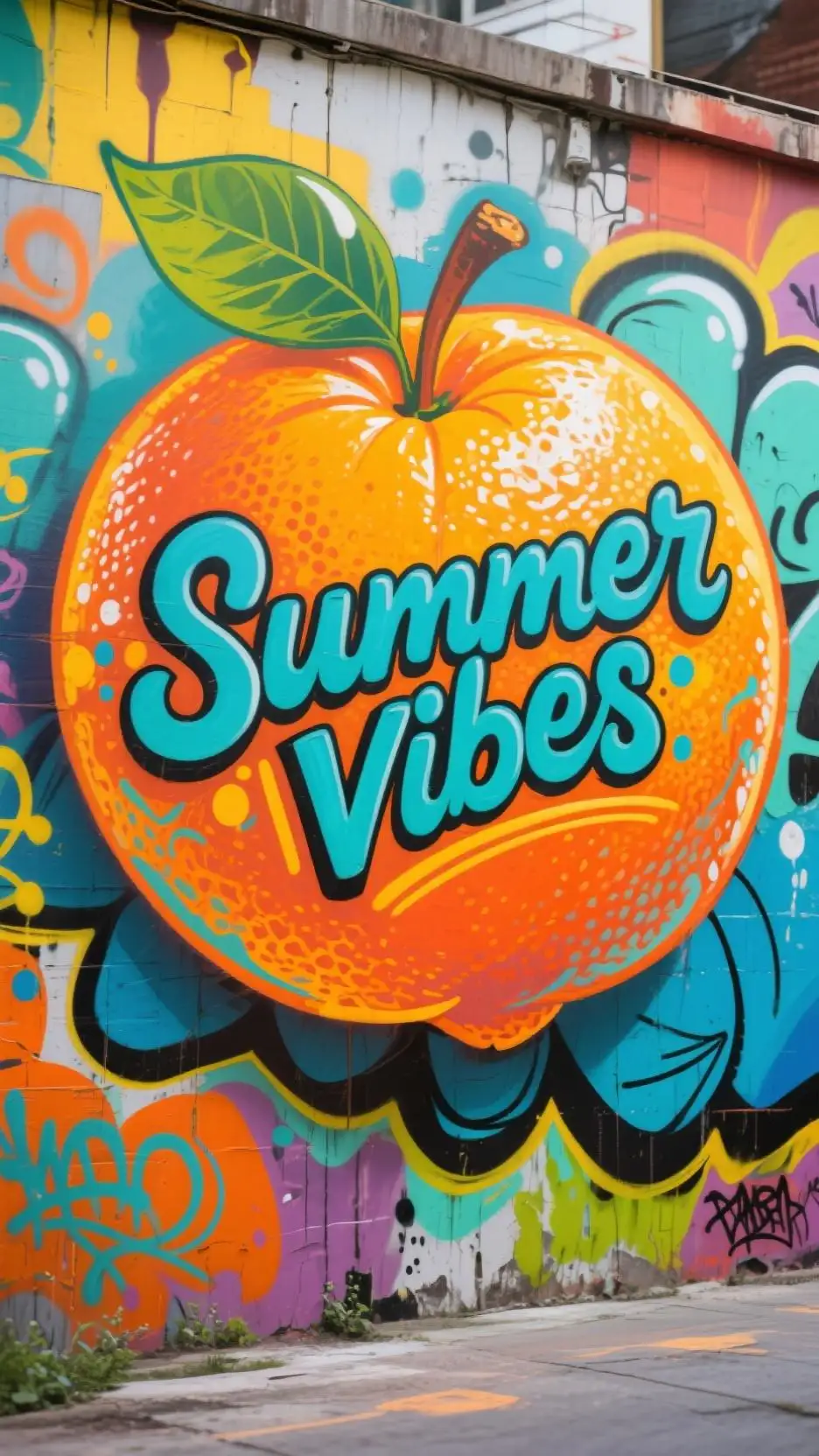
For ads and posters, the image must combine subject, message, layout, and typography. Seedream 5.0 Pro is especially useful for AI advertising posters because it can create more balanced compositions where text placement, visual hierarchy, color mood, and brand style feel more unified. This helps marketers quickly test different creative directions without starting every design from scratch.
Cinematic artwork and stylized visuals

Seedream 5.0 Pro can also support cinematic AI artwork, concept visuals, film-style posters, game-inspired scenes, and stylized illustrations. It can better understand mood words, lighting styles, genre details, and artistic direction, helping creators generate richer and more accurate visual effects for storytelling, entertainment, and creative exploration.
Social media visuals and image editing
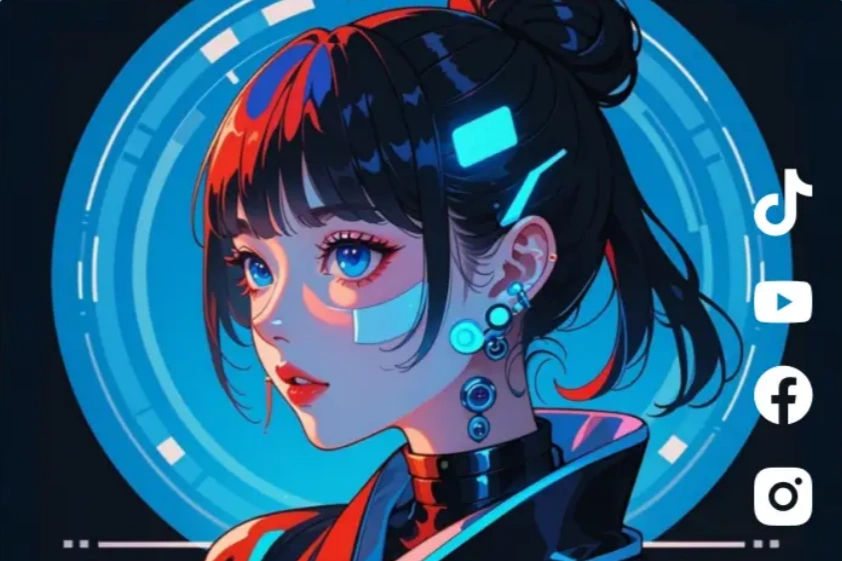
Social media creators often work with rough ideas or vague prompts. Seedream 5.0 Pro can lower the creative barrier by better understanding natural instructions such as “make it more premium,” “turn this into a poster,” or “create a cleaner product-ad style.” This makes it useful for YouTube thumbnails, TikTok covers, Instagram posts, blog headers, and creator branding visuals.
Seedream 5.0 Pro helps creators move from random image generation to more purposeful, editable, and commercially useful visual creation.
Seedream 5.0 Pro vs Lite: What Is the Difference?
For creators, the difference is mainly about positioning.
Seedream 5.0 Pro is designed around higher-level visual needs such as professional images, marketing creatives, AI typography posters, commercial design, and brand-ready output. It is more suitable when quality, layout, style, and business use matter.
Seedream 5.0 Lite, by comparison, is easier to understand as a more accessible or lightweight version in the Seedream 5.0 family. It can still be powerful, but the Pro direction is more connected to advanced creative production, professional visual results, and product-side commercial workflows.
In short:
Choose Seedream 5.0 Pro when you care about commercial polish, visual control, and brand-ready results.
Chosse Seedream 5.0 Lite as a lighter entry point for general AI image generation and exploration.
Lite is about smarter image generation. Pro is about professional design production.
How Should Creators Prepare for Seedream 5.0 Pro?
Creators should prepare by learning how to write clear, goal-driven prompts.
As Seedream 5.0 Pro moves closer to broader creator use, the best preparation is not memorizing magic prompt words. The better approach is to learn how to write prompts like a creative brief.
A strong Seedream 5.0 Pro prompt should include:
Goal: What is the image for?
Subject: What should appear in the image?
Audience: Who is the visual meant to attract?
Style: Should it feel realistic, cinematic, luxury, playful, futuristic, or editorial?
Layout: Where should the subject and text appear?
Typography: What words should be included?
Brand mood: What emotional impression should the image create?
Use case: Is it for an ad, poster, product page, thumbnail, or social post?
A useful prompt formula is:
Create a [visual type] for [use case]. The main subject is [subject]. The image should show [scene and details]. Use [style, lighting, color palette]. Add typography with the text “[copy].” Keep the layout [clean / bold / cinematic / premium]. Make it suitable for [platform or campaign].
Seedream 5.0 Pro Is Coming Soon
Seedream 5.0 Pro is built for creators who want images that are not only impressive, but also practical, editable, and aligned with a clear purpose.
Before it fully arrives, creators can use this time to learn Seedream prompt methods, try Seedream 5.0 AI Image Generator to get ready for a more controllable era of AI image generation.
Seedream 5.0 Pro is Coming Soon - Stay Tuned! 👉
Related Articles
How to Use Sketch Prompts in Seedream 5.0 Pro for AI Design
Learn how to use sketch-to-image workflow in Seedream 5.0 Pro to turn rough layouts, poses, scenes, and design ideas into polished AI images.
Seedream 5.0 Pro Prompt Examples: Smarter AI Image Editing
This article focuses on Seedream 5.0 Pro AI image editing prompt examples: how to edit details and turn a image into a usable final visual.